Site diaries
Record weather, personnel, plant, completed work, delays, deliveries, inspections and site observations. Review, check and sign the diary, retaining its controlled history.

Home / Site Controls for engineers
NERO IQS / Site Controls for engineers
Keep the daily record. Control the next action.
Manage site diaries, RFIs, site instructions and drawing issues in one NERO IQS workspace. Give engineers, resident engineers and contractor teams a clear record of site activity, outstanding information and controlled correspondence.
Discuss your requirements ↗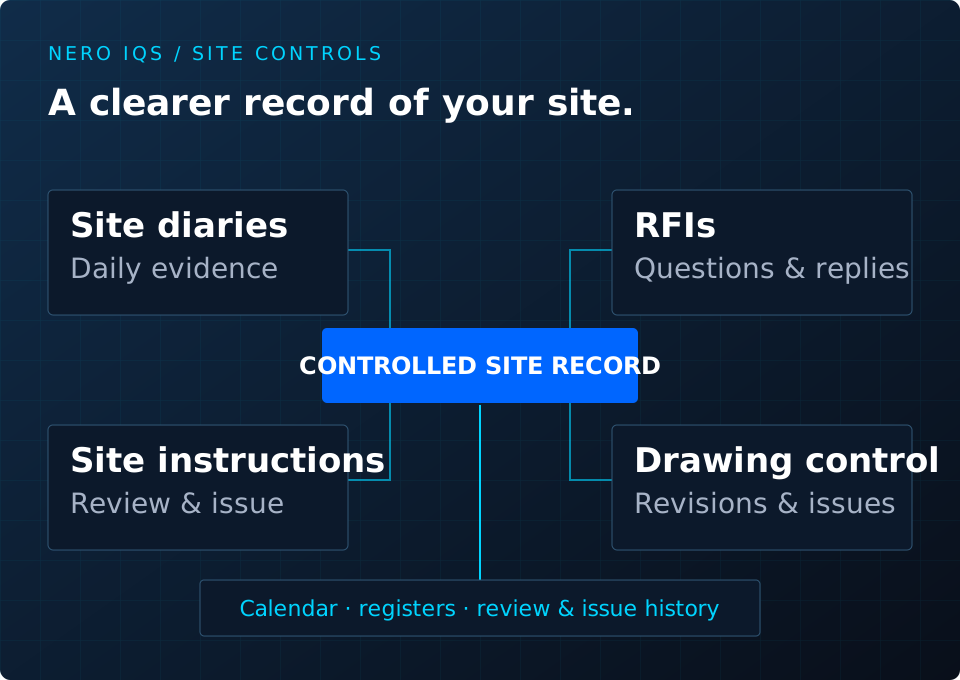
01 / The scope
Record weather, personnel, plant, completed work, delays, deliveries, inspections and site observations. Review, check and sign the diary, retaining its controlled history.
Record questions, responses and action dates. Review and issue instructions, record acknowledgement, and flag potential programme, design and cost impacts.
Track drawing revisions and transmittals. Use the dashboard, calendar, registers and reports to review the site record and outstanding actions.
02 / The process
Define the project and contract parties, contacts and correspondence details. Use a standalone site project or select links to the other NERO modules.
Capture the daily evidence, information requests, instructions and drawing revisions. Follow the relevant checking, signing or issue stages.
Retain controlled issues and acknowledgements, review due dates and responses, and prepare registers and reports for the project team.
03 / Your final fit
Your diary format, drawing references, correspondence templates and review responsibilities guide the final configuration. Bring the site records your engineering or construction team currently uses to a guided demonstration.
How tailoring works →04 / Your questions
Yes. Site Controls supports a standalone project with its own contract parties and records. Links to estimating, programme and payment projects can be selected where needed.
The diary provides sections for weather, personnel, plant, work, delays, outstanding information, deliveries, inspections and testing, safety and environmental observations, visitors and notes.
No. Programme, design and cost flags identify matters for review. Reference links do not themselves approve a variation or change a programme or certificate.
Drawing Control records revisions and transmittals so the issued revision and its history remain identifiable.
Engineers, resident engineers, contractor teams and client representatives who need structured site records and contract administration. Responsibilities and the final configuration are agreed with your team.
Tell us your current process, required outputs and the support you need. We will discuss the fit and agree the next step with you. Pricing, delivery and bespoke work follow an agreed scope.
Prepare an enquiry ↗